Norse Subscriptions help
Languages and your own words
Change the words customers read in the portal and the emails, in any language, with a preset of your own.
This article helps you change the words customers read in the portal and the emails, and add a language. It is under Customer experience > Translations.
Customers read the portal and the emails in their own language: English, Norwegian, Swedish, Danish, German, Spanish or French. Every word is one field, grouped by where it shows. The app's own texts can be read and copied but not changed. To use your own words, you make your own copy, called a preset, and use it for its language.
Use your own words
- Open Customer experience and then Translations.
- Under Presets, choose the language in Preset, such as English, and press Make your own copy.
- The window New preset opens with a name filled in. Press Create preset.
- Find the field with Search the fields, using a word or a key like cancel.confirm. Only what's changed shows only your changes.
- Write your text. Next to each field you see the English and the preset's own text. A field left empty uses the preset's own text.
- Press Save changes.
- Press Use for and the language, such as Use for English. Customers see your words within a minute.
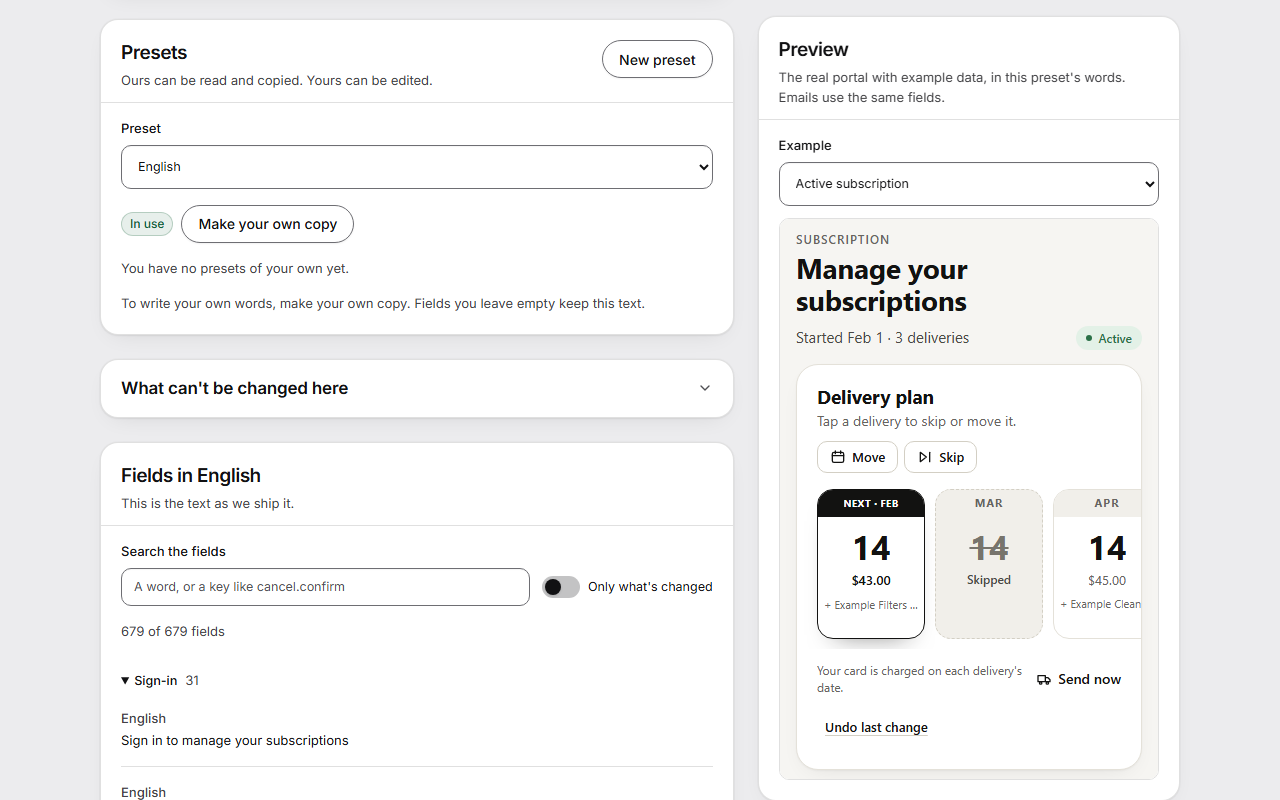
The preview beside the fields shows the real portal with example data, in the preset's words. Emails use the same fields.
Add a language the app doesn't have
- Press New preset.
- Give it a Name. Only you see it.
- Under Language it serves, choose Another language and write the Language code, the code Shopify uses, such as it or pt-br.
- Under Start from, choose the text that empty fields show until you write your own.
- Press Create preset, write the fields and press Save changes.
- Press Use for and the language.
A language of your own works everywhere the app writes: the portal, every email, dates and prices. How often deliveries come is written as a small template, because grammar differs too much for the app to guess.
Which language a customer gets
Language in use shows which text each language uses, and you can change it there too. A customer gets their own language if it is there, then your store's language, then English. You change your store's language under Emails.
Good to know
- Keep each {placeholder} you see. That is where the customer's date, name or price goes, and the page won't save a text that loses one or adds one that doesn't exist.
- Texts are plain text. HTML isn't allowed, and customers see the text exactly as written.
- The cancel button and the promise of a written confirmation can be changed, but can't be empty, and must say clearly that the subscription ends.
- What can't be changed here lists what the app can't change. The default words in the purchase options, the cart and the links in checkout and customer accounts ship with the app. Your own words for the purchase options and the cart go under Subscription widget, in Words. Product names, plan names and what Shopify writes itself, such as order confirmations, belong to Shopify.
- Words you write for one email under Emails go before a preset.
- A store can have 20 presets.
- The Swedish, Danish, German, Spanish and French texts are machine-written and haven't been read by a native speaker yet. Read them before you rely on them.
- Plan names in other languages are set on the plan's page, under Other languages. That needs Shopify's permission for translations, which Shopify asks you to approve when the app is updated.