Norse Subscriptions help
Rewards: a gift and a routine discount
Give subscribers a free product on a chosen delivery, and a discount that grows with the products on their subscription.
Rewards give subscribers a reason to stay and to add products. You set them under Customer experience > Rewards. Rewards are in Growth.
A gift is a free product on a delivery you choose, such as the sixth, to thank subscribers for staying. A routine discount gets larger the more different products a subscription has. Both are applied when the delivery is charged.
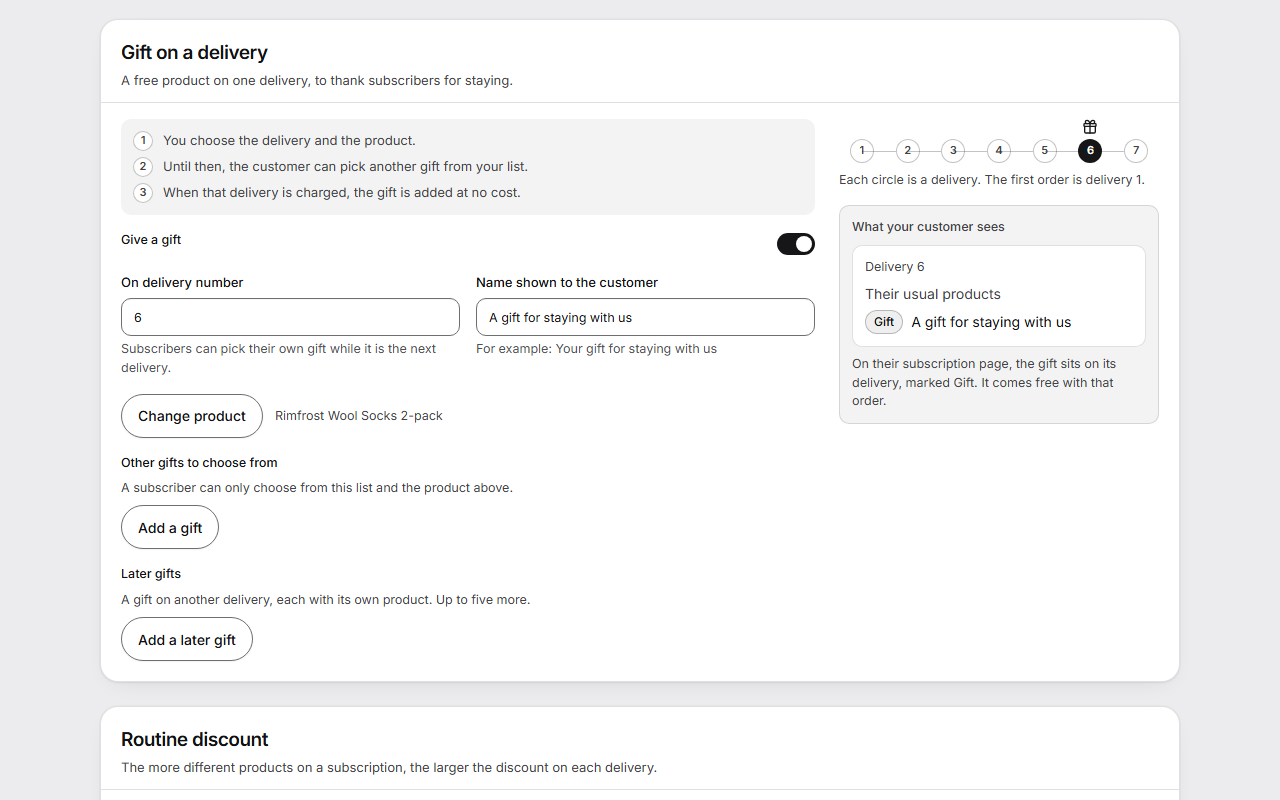
Give a gift
- Open Customer experience and then Rewards.
- Under Gift on a delivery, turn on Give a gift.
- Set On delivery number, for example 6. The first order is delivery 1.
- Write the Name shown to the customer, such as "A gift for staying with us".
- Press Choose product and pick the gift.
- If you like, press Add a gift under Other gifts to choose from. A subscriber can pick their own gift from this list while it is the next delivery.
- For a gift on another delivery, press Add a later gift under Later gifts. Each has its own product, up to five more.
- Press Save changes.
Give a routine discount
- Under Routine discount, turn on Give a routine discount.
- Write the Name on the order. It shows on the order and the receipt.
- Set the tiers: From products is the number of different products, and Discount % is what they give. Add tier adds another, and Remove takes one out.
- Press Save changes.
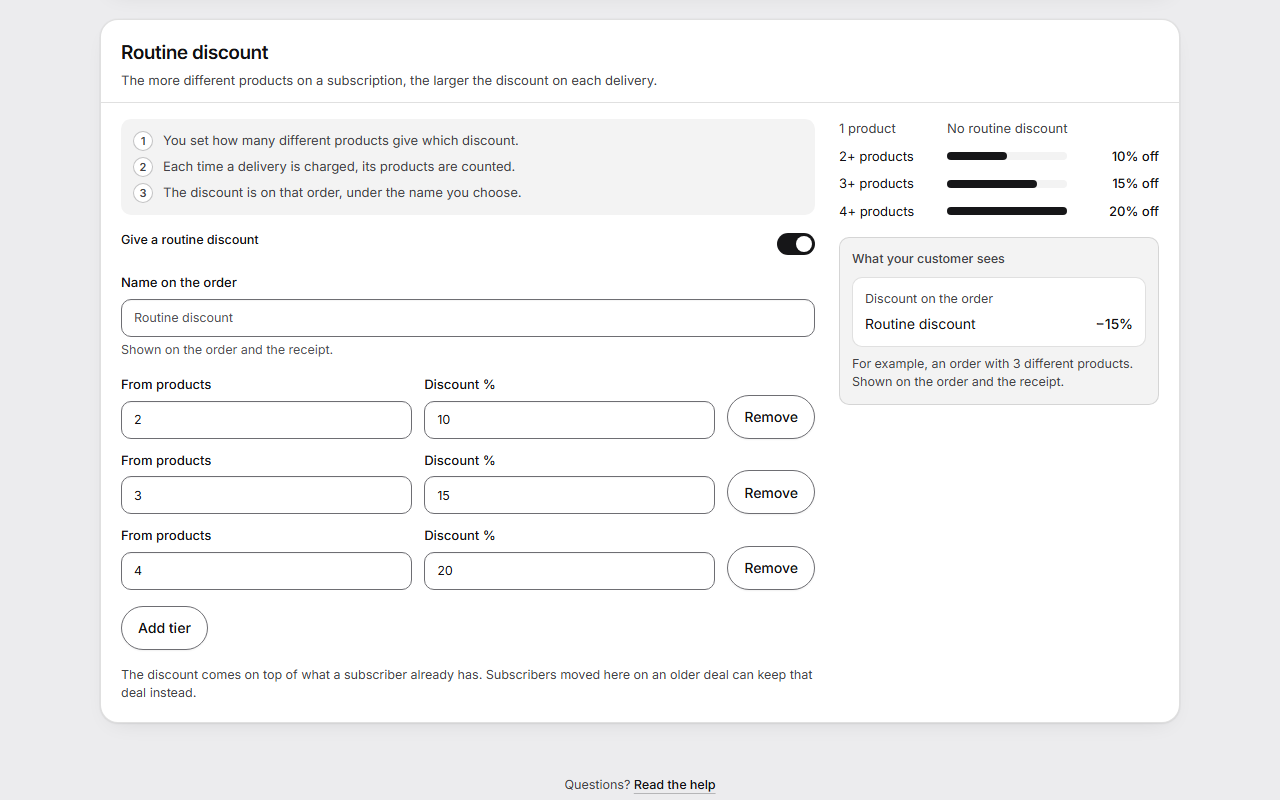
Each time a delivery is charged, its products are counted, and the discount for that number goes on that order under the name you chose.
What the customer sees
On their subscription page, the gift sits on its delivery, marked "Gift", and comes free with that order. The routine discount shows on the order and the receipt under its name.
Beside each setting, What your customer sees shows this before you save, with a row of deliveries for the gift and a bar for each discount tier.
Good to know
- Without a name of your own, the gift is called Gift and the discount Routine discount.
- The routine discount comes on top of what a subscriber already has. Subscribers moved here on an older deal can keep that deal instead.
- Prepaid subscriptions get no gift and no routine discount, because Shopify splits their deliveries itself.
- In the customer portal, the price of a delivery with a routine discount is shown only once it can be known for sure, at the charge.
- On a Norse plan without rewards, a gift already on a delivery still comes as planned, and no new gift or routine discount is given.
- "Before you go", in the cancel step, can mention the customer's next gift. See Cancellation.