Norse Subscriptions help
Norse plans: Free, Starter, Growth, Scale
See what Free, Starter, Growth and Scale cover and include, and change your plan on Shopify's plan page.
This article helps you see what each plan covers and change your plan. Your plan is the first card in Settings, and you change it on Shopify's own plan page.
The app has four plans: Free, Starter, Growth and Scale. Each covers a number of active subscriptions, and each has everything in the plans before it. Everything a subscriber would miss is in every plan, so a smaller plan never makes the subscription worse for your customers.
How many each plan covers
| Plan | Active subscriptions |
|---|---|
| Free | up to 20 |
| Starter | up to 200 |
| Growth | up to 600 |
| Scale | up to 3,000 |
Above 3,000, we agree a price with you. Only active subscriptions count. Paused, cancelled and ended ones don't.
What each plan includes
- Every plan: plans and discounts, the widget and the cart, shipping for subscriptions, automatic charging, retries on failed payments, card updates, the customer portal and customer accounts, every customer email, starter kits and sold-out rules, translations, Overview, Payments, the list of subscriptions, and moving from Seal or a CSV.
- Starter adds: events to Klaviyo and Omnisend, Shopify Flow, full analytics, a hidden copy of customer emails, and support by email.
- Growth adds: offers when a customer cancels, an invitation back after cancelling, a discount on the last payment attempt, upsells on the customer page, rewards, checkout links, links in your own campaigns, discount codes on the customer page, your own sender domain, and the partner API and webhooks.
- Scale adds: Gorgias, bulk changes, priority support and moving with our help.
See and change your plan
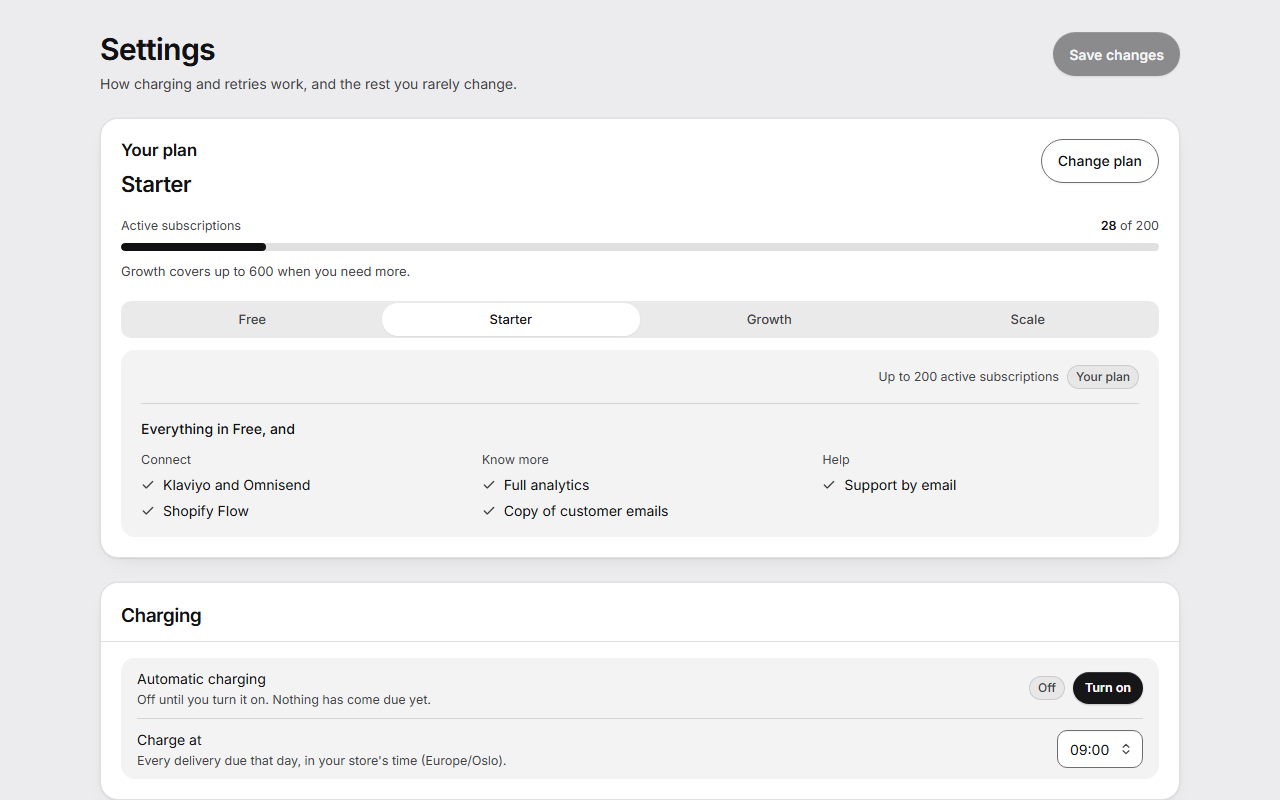
- Open Settings. Your plan shows your plan and your active subscriptions against what it covers, with a bar.
- Under Compare plans, choose Free, Starter, Growth or Scale to see how many it covers and what it adds. Choosing one here only shows it.
- Press Change plan. Shopify's own plan page opens.
- Choose and approve the plan there.
The card and Shopify's plan page show what each plan costs.
Your first 14 days
A new store has everything in Growth for its first 14 days, whatever its plan, so you can try the tools. The card says the date they end.
The 14 days count from the day your store first had the app. Uninstalling and installing again, or approving a new permission, doesn't start them again.
When a feature isn't in your plan
The feature stays in its place in the admin, switched off. It names the plan it is in, such as Growth includes checkout links., with See plans.
When a store moves to a plan without a feature, what a customer was promised is kept, and what the store could do stops:
- Checkout links you have keep working. You can't make new ones.
- A gift already on a delivery still comes. No new gifts or routine discounts are given.
- Products a customer already added from the shelf stay on their delivery.
- Cancelling works as before, with no offers.
- Emails go from Norse with your store's name. Your sender domain is kept for later.
- API keys and webhooks keep working for 30 days, and Integrations says until when.
When you go over your plan's limit
- From 90% of your plan, a calm banner on Overview and Subscriptions says how many you have and what the next plan covers.
- Over the limit, it says the date, 10 days later, from which new customers can't choose a subscription. Until then nothing changes.
- After those 10 days, new subscriptions are paused. Product pages don't offer a subscription to new customers, and you can't add plans or start an import.
- Everything you have keeps running: every subscription, its charges, the customer portal, customer accounts and Flow.
- It all comes back as soon as you change plan or are back within the limit.
Good to know
- Your plan never stops charging, the customer portal or Shopify's webhooks.