Norse Subscriptions help
Customer emails
Turn on the emails subscribers get, choose who they come from, and change their words.
This article helps you turn on the emails subscribers get, choose the sender and change the words. It is under Customer experience > Emails.
The app sends the emails a subscription needs: a welcome, a reminder before a charge, a note when a payment fails, confirmations when something changes, and the written confirmation when a subscription ends. They go out in the customer's language, with your logo, colors and sender name.
Turn the emails on
- Open Customer experience and then Emails.
- Turn on Send customer emails at the top. It is the switch for all of them.
- Under Emails, each email has its own switch. Turn off any you don't want.
- Press Save changes.
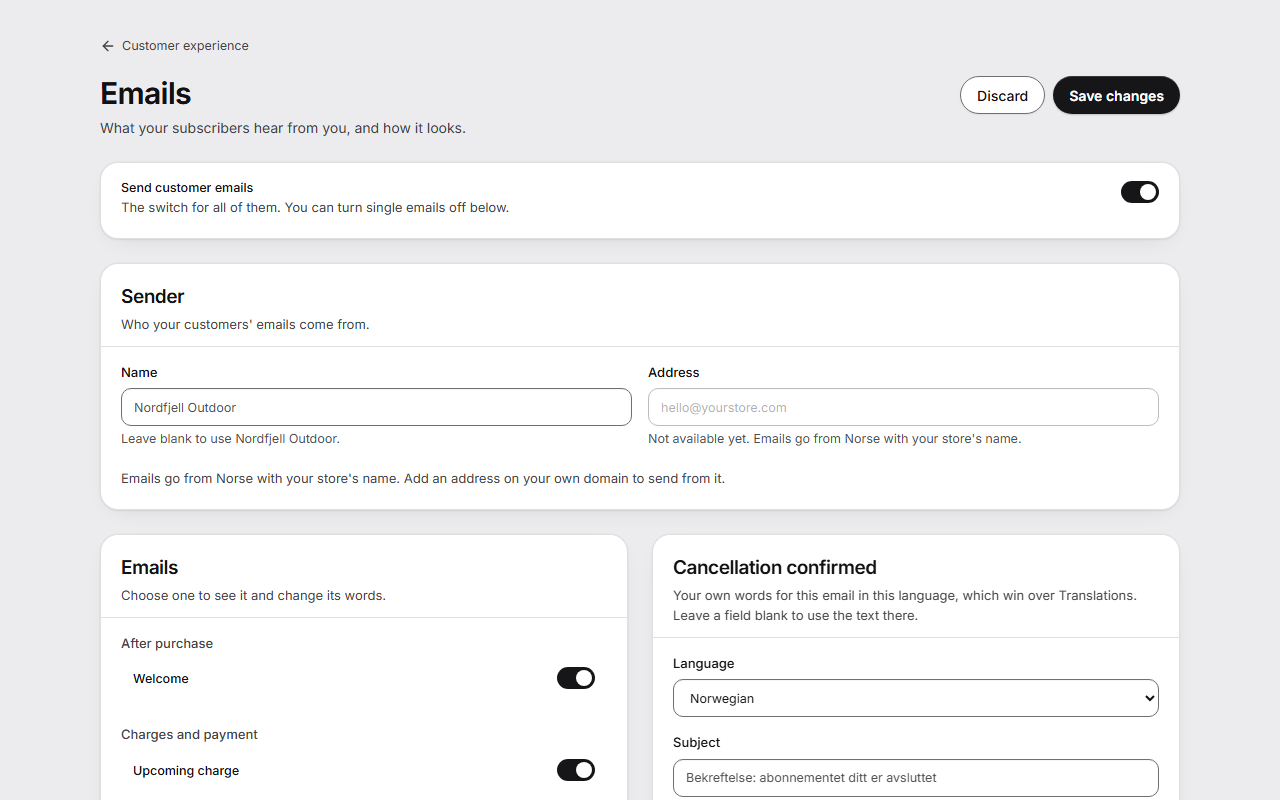
The emails
- After purchase: Welcome.
- Charges and payment: Upcoming charge, Payment failed, Card needs confirming (3-D Secure), Card expiring, Charges stopped, Retry succeeded.
- Changes to a subscription: Item out of stock, Paused, Resumed, Delivery skipped, New interval, Delivery address changed.
- Ending a subscription: Cancellation confirmed, Come back.
Change the words of an email
- Under Emails, choose the email.
- Choose the Language.
- Write the Subject, Heading and Text. Plain text only: a blank line starts a new paragraph. Under You can use: are the fields you can put in, such as
{{first_name}}. - Look at the preview as Wide, Phone or Plain text.
- Press Send a test. It goes to your store's address with sample data.
- Press Save changes.
A field you leave empty uses the text under Translations.
Choose the sender
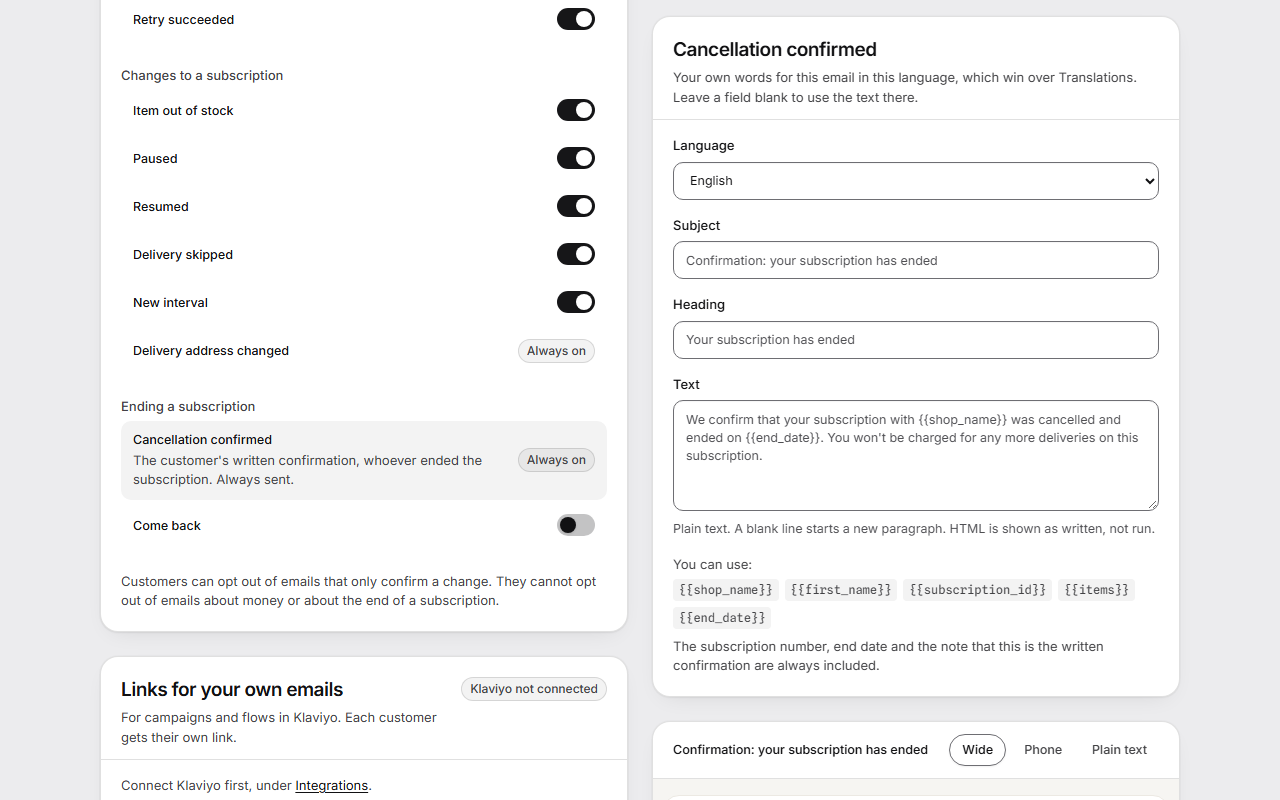
Under Sender, the Name is what customers see as the sender. Left empty, it is your store's name. Emails go from Norse with your store's name until you add your own address.
To send from your own domain, such as hello@yourstore.com:
- Write the Address and press Save address.
- Add the DNS records the page shows where your domain is managed. Each has Copy.
- The app keeps looking for the records. Check again looks right away.
Until all records are found, emails go from Norse with your store's name, and nothing waits. Remove goes back to sending from Norse. Your own sender address is in Growth.
The rest of the page
- Sending: Reply-to address is where a customer's reply goes. Without one, the email asks them to contact the store. Hidden copy (BCC) sends a copy of every customer email to an address you choose, without the customer's own link. It is in Starter.
- Language, also under Sending, is your store's language. It is used when the customer's language is unknown or one you don't serve, and the portal opens in it. Write in the customer's language uses the language Shopify has for the customer.
- Look: Logo URL, Button color and Button text color. Without them, emails use the logo and colors of your customer portal.
- Timing: Days before a charge, Days after a cancellation, Your postal address and Hour of the day.
- Links for your own emails gives each subscriber their own links for your campaigns and flows in Klaviyo. It is in Growth and needs Klaviyo connected under Integrations.
- Recent sends lists type and outcome only. Addresses and text are not kept.
Good to know
- With Send customer emails off, only the written confirmation of a cancellation still goes out, because you are required to give it.
- Cancellation confirmed and Delivery address changed are always on. Delivery address changed goes out when the customer changes the address, not when you do.
- Customers can opt out of emails that only confirm a change. They can't opt out of emails about money or about the end of a subscription.
- Card expiring needs Shopify's permission to read the customer's card.
- Come back is off until you turn it on, and it is in Growth. It is marketing, goes only to customers who have said yes to email marketing, and needs your postal address.
- Gmail, Outlook and similar addresses can't be your own sender, because you can't add records to their domains.
- The emails are in English, Norwegian, Swedish, Danish, German, Spanish and French. See Languages and your own words.