Norse Subscriptions help
When a payment fails
Set how failed payments are tried again, and follow up on the ones that are still open under Payments.
This article helps you set what happens when a renewal payment fails, and follow up on the failed ones. The rules are under Settings > Failed payments, and what is still open is under Payments.
A renewal can fail because there is too little money on the card, the card has expired, the bank wants the customer to confirm, or a product is sold out. The app tries again on the days you set and tells the customer. A failed payment never changes the customer's plan, and a payment is never taken twice for one delivery.
Set the retry rules
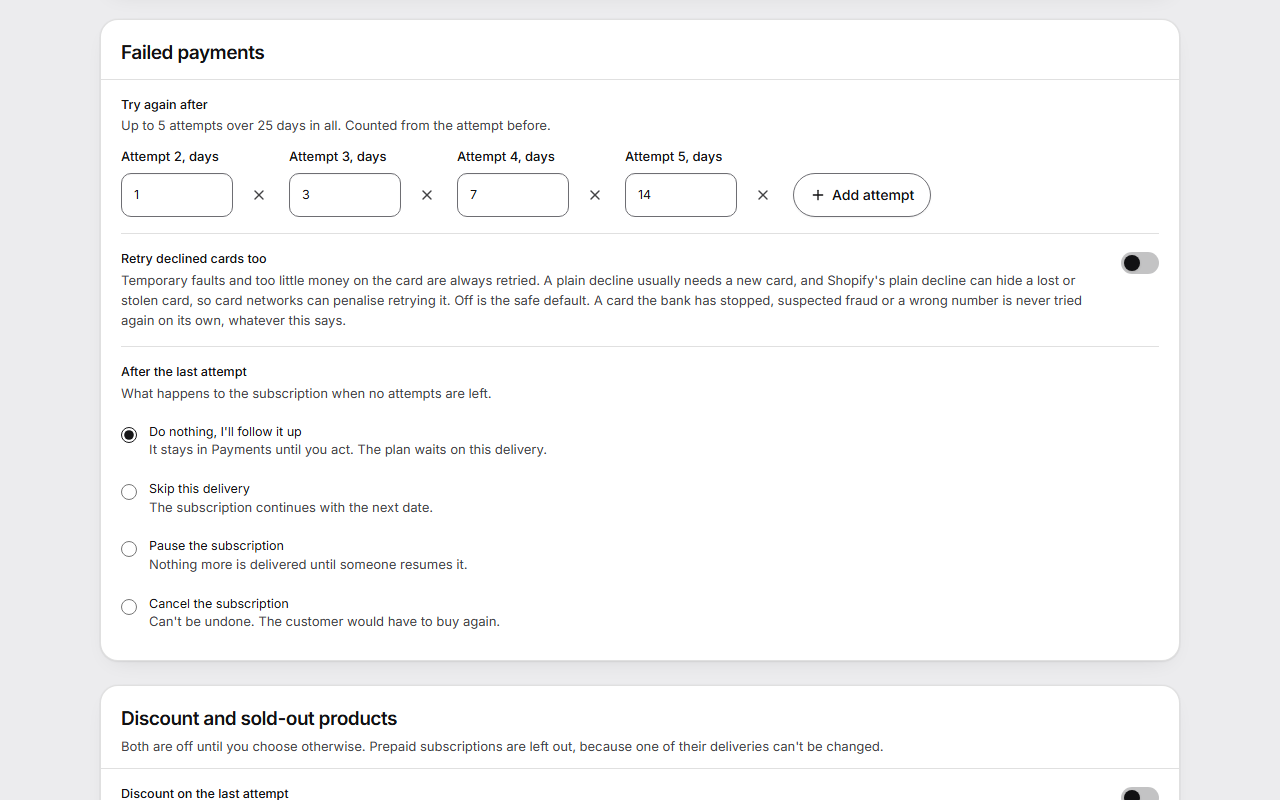
- Open Settings and find the Failed payments card.
- Under Try again after, set the days to wait before each new attempt. Each wait counts from the attempt before. The default is 1, 3, 7 and 14 days, which gives five attempts: on the delivery date and on day 1, 4, 11 and 25 after it.
- Press Add attempt to add a wait, or the cross beside a wait to remove it. Each wait is 1 to 30 days, and all the waits together must fit within 30 days.
- Leave Retry declined cards too off unless you have a reason. Temporary faults and too little money on the card are always tried again.
- Under After the last attempt, choose what happens when no attempts are left: Do nothing, I'll follow it up, Skip this delivery, Pause the subscription or Cancel the subscription.
- Press Save changes.
Follow up under Payments
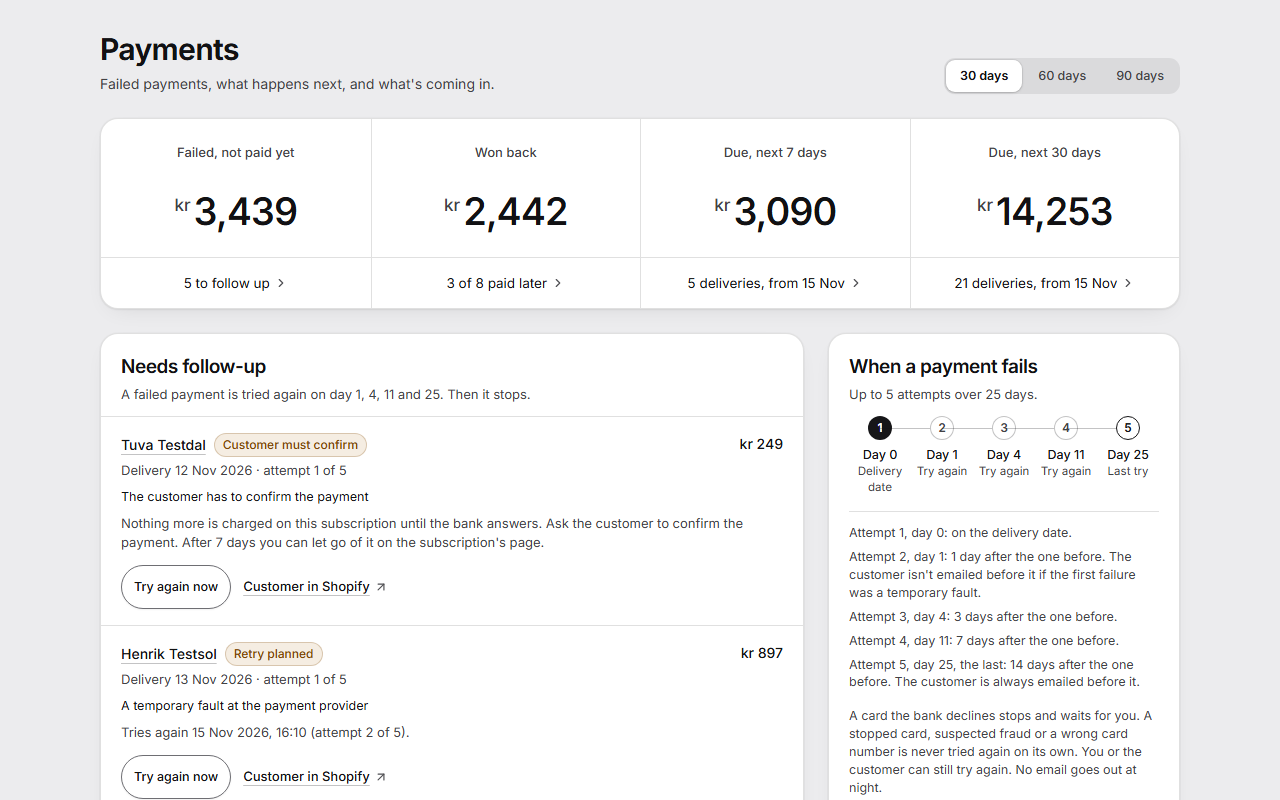
- Open Payments. At the top are Failed, not paid yet, Won back, Due, next 7 days and Due, next 30 days.
- Under Needs follow-up, each failed delivery shows the reason in plain words, which attempt it is, and what happens next.
- To try one at once, press Try again now. The window Try the payment again? asks first. Press Try again. It can't charge the delivery twice.
- To do something else, press the customer's name to open the subscription. There you can skip the delivery or change the products.
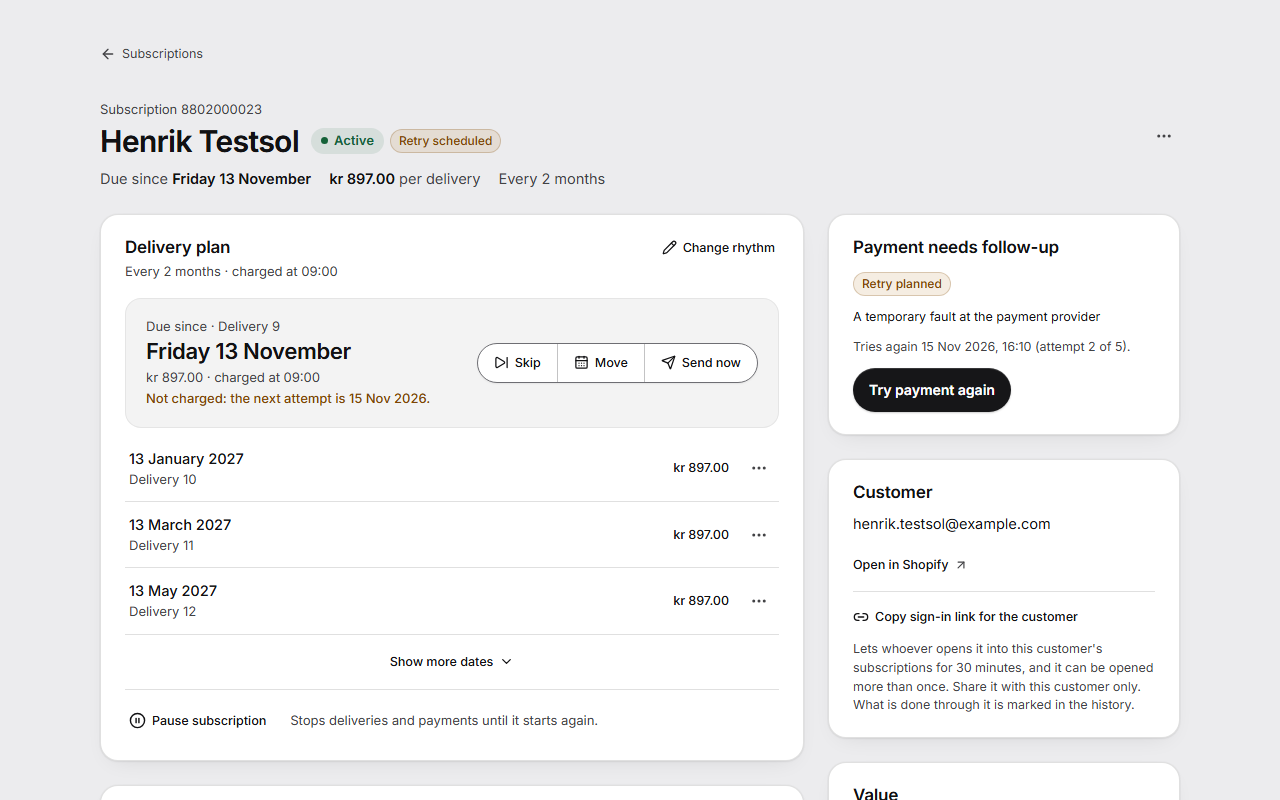
On the subscription's page, Payment needs follow-up shows the same reason and the next attempt, with Try payment again.
What each reason came to shows how many failed for each reason, were paid later, were given up and are still open. Choose 30 days, 60 days or 90 days at the top of the page. Change the rules leads to the rules in Settings.
What the customer sees
The customer gets an email in words that fit the reason, in their own language.
In the portal, a line at the top of the subscription says what happened, such as “Your last payment didn't go through. We'll try again on 12 December.” The customer can press “Try payment again”, at most twice a day, when Try a failed payment again is on under Customer experience > Customer portal and automatic charging is on. “Update card” shows where Allow payment-update emails is on.
Good to know
- No attempt is made more than 31 days after the delivery date. When the next attempt would fall later, the attempts end and your rule after the last attempt applies.
- A card the bank has stopped, suspected fraud or a wrong card number is never tried again on its own. You or the customer can still try again.
- No email goes out the first time for a temporary fault the customer can do nothing about. An expired card is told at once. No email goes out at night.
- When the bank waits for the customer to confirm a payment, nothing more is charged on that subscription until the bank answers. After 7 days you can press Let go of this payment on the subscription's page, and the plan moves on to the next date.
- When a late payment goes through on the day the next delivery is due, that next delivery is passed over, so nobody is charged twice in one day.
- On hold until you answer on Payments lists subscriptions where the app couldn't confirm that a change went through. Nothing is charged on them until you press Check and answer and say how it went.
- Discount on the last attempt is under Settings > Discount and sold-out products, in Growth, and off until you turn it on. It applies only after a temporary failure, only once per customer, and the customer reads about it in the email before the last attempt.